


How to Test Surge Protector: Complete Guide to Safe Electronic
2025-09-14


Why is it Important to Test Your Surge Protector?
Surge protectors do not have durability forever. They silently absorb power surges, protecting your electronics, without doing them harm. Each occurrence of spikes generates a decline in the capacity. Their condition neglected may threaten your PC, game consoles, routers, and appliances. NIST found that cumulative damage occurs to electronics because of even small surges. A surge protector (also known as a surge suppression device (SPD)) is a protective device that limits the voltage induced by an electric circuit.
Important Technical Terms of a Surge Protector
It is important to understand the technical characteristics of a surge protector to make sure that your devices are not in danger of spikes.
- Joule Rating
The Joule Rating describes the amount of energy a surge protector can mitigate before losing its protection capability. The joule rating is higher the more it has a protective property. As an example, a 2000 joule surge protector can permit more Joules of energy surges than a 600 joule surge protector can.
- Clamping Voltage
Clamping Voltage: This is the amount of voltage that the surge protector will redirect to the ground. A smaller clamping voltage translates into the device itself responding to a surge more quickly, which gives it the ability to protect electronics better.
- Response Time
The Response time is the speed at which the surge protector responds to a sudden power surge. Faster action times minimize the chances of damage to fragile items such as gaming PCs, TVs, and routers. With the knowledge of these terms, you will be able to select a suitable surge protector for your business or in your residence. All the components wear out, and all that your surge protector ends up doing is just a fancy power strip.
How Do You Test a Surge Protector: Step-By-Step?
How to test surge protector? Here is a mere testing guide:
1. Visual Inspection
Checking for damage, melted plastic, or worn-out cords. This is a time-saving step in assessing whether it is necessary to change
2. Check Indicator Light
The majority of surge protectors are supported by an LED light that indicates whether they are on or off. Oftentimes, the failure of those internal MOVs (metal oxide varistors) causes them to be off.
3. Before Cleaning: Do this with a Multimeter
- Insert the surge protector in the wall.
- Insert the probes of the multimeter into the slots of the outlet
- It must be read 110-120 V (US) or 220-240 V (EU/Asia).
- When your voltage is intermittent or inconsistent, then you have a faulty surge protector.
4. Use an Outlet Tester
An outlet tester is a cheap and small device that rapidly tests wiring and surge protection. If it displays a fault code, replace the unit.
5. Test With Connected Devices (With Great Care)
Insert a small unit, such as a lamp. When the power is not being conducted consistently by the surge protector, there is a need to replace it.
- Testing a Surge Protector with or Without Tools.
- You do not need a multimeter in your home, as you can find alternatives to see whether or not your surge protector is fine.
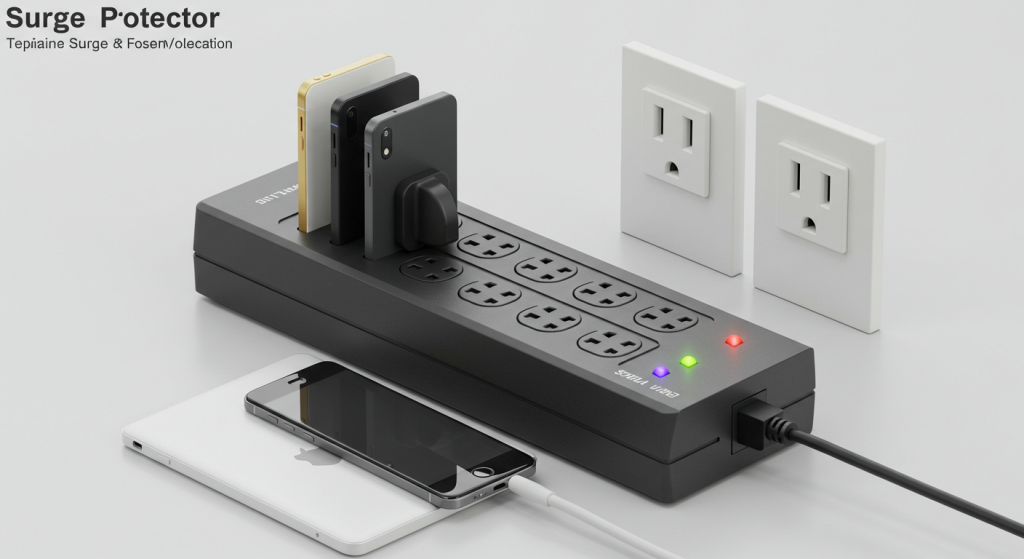
Check the Check Light
The vast majority of surge protectors have an LED indicator light to indicate whether the device is operating properly. When the light is off, flickering, it can serve as a signal that the surge protector has lost its protective properties and must be replaced.
- One Method to Check is with a Lamp or a Phone Charger
. Connect a small, low-value load like a lamp or a phone charger. In case the device powers on regularly, then something is wrong with the surge protector. Changes in power flow can have any form of irregular power flow, which is a signal of a problem
- Listen to Strange Buzzing Noises
Watch for the noise, any buzzing, or cracking of the surge protector. Such sounds may be an indication of internal damage or components that are worn out. These techniques are not as accurate as a multimeter test, but still, they are convenient ways to know whether your surge protector is still healthy or not.
How to Replace a Surge Protector?
The healthiest surge protector has a shelf life. The following are rules of thumb:
- Replaced on a 3–5-year basis (more frequently in high-surge regions).
- Replace immediately where it received a major lightning strike
- Replace in case the indicator light burns out
Safe Testing Practice when Testing Surge Protectors
The health of your surge protectors is also important, as it ensures that you are safe in the process of testing them. These are the key steps in making sure that accidents and electric hazards are prevented.
- Use Surge Protectors that are UL-Certified
Buy UL-certified surge protectors. Certification is where the device is subjected to harsh safety tests and has proven efficiency to offer protection against surges of voltage.
- Avoid Overloading
Do not plug too many things into an electric strip. Overloads may overheat the protection device, destroy it, and actually present a danger of catching fire.
- To Avoid Moisture and Heat
Make sure that cords as well as the surge protector are dry and not close to a heat source. High temperatures or moisture may cause damage to internal components and decrease effectiveness.
Conclusion
How to test surge protector? Frequent testing of your surge protector is also quite vital to the safety of your valuable electronics. Whether it is powering the gaming PCs or something as ordinary as home appliances, every device requires a stable and safe power supply. The easiest way to test its effectiveness is by following these step-by-step measures- whether you use a multimeter, outlet tester, or even visual tests, ascertaining and confirming that your surge protector is still working. To ensure the quality and efficiency of your surge protection, professional SPDs offered by Telebahn are likely to keep your devices intact and prolong their service life.
